> ## Documentation Index
> Fetch the complete documentation index at: https://docs.agentops.ai/llms.txt
> Use this file to discover all available pages before exploring further.
# Fast API
> Observing agents in a server environment
[//]: # "Card for video tutorial"
[//]: # ""
[//]: # " Using agents in a REST server and observing"
[//]: # " "
[//]: # ""
## Adding AgentOps to Crew agents
```bash pip theme={null}
pip install agentops
```
```bash poetry theme={null}
poetry add agentops
```
```bash pip theme={null}
pip install 'crewai[agentops]'
```
```bash poetry theme={null}
poetry add 'crewai[agentops]'
```
1. Before calling the `Crew()` constructor in your code, call `agentops.init()`
2. At the end of your Crew run, call `agentops.end_session("Success")`
```python python theme={null}
import agentops
# Beginning of program (i.e. main.py, __init__.py)
# IMPORTANT: Must be before calling the `Crew()` constructor
agentops.init()
...
# End of program (e.g. main.py)
agentops.end_session("Success") # Success|Fail|Indeterminate
```
Instantiating the AgentOps client will automatically instrument Crew, meaning you will be able to see all
of your sessions on the AgentOps Dashboard along with the full LLM chat histories, cost, token counts, etc.
For more features see our [Usage](/v1/usage) section.
Retrieve an API Key from your Settings > [Projects & API Keys](https://app.agentops.ai/settings/projects) page.
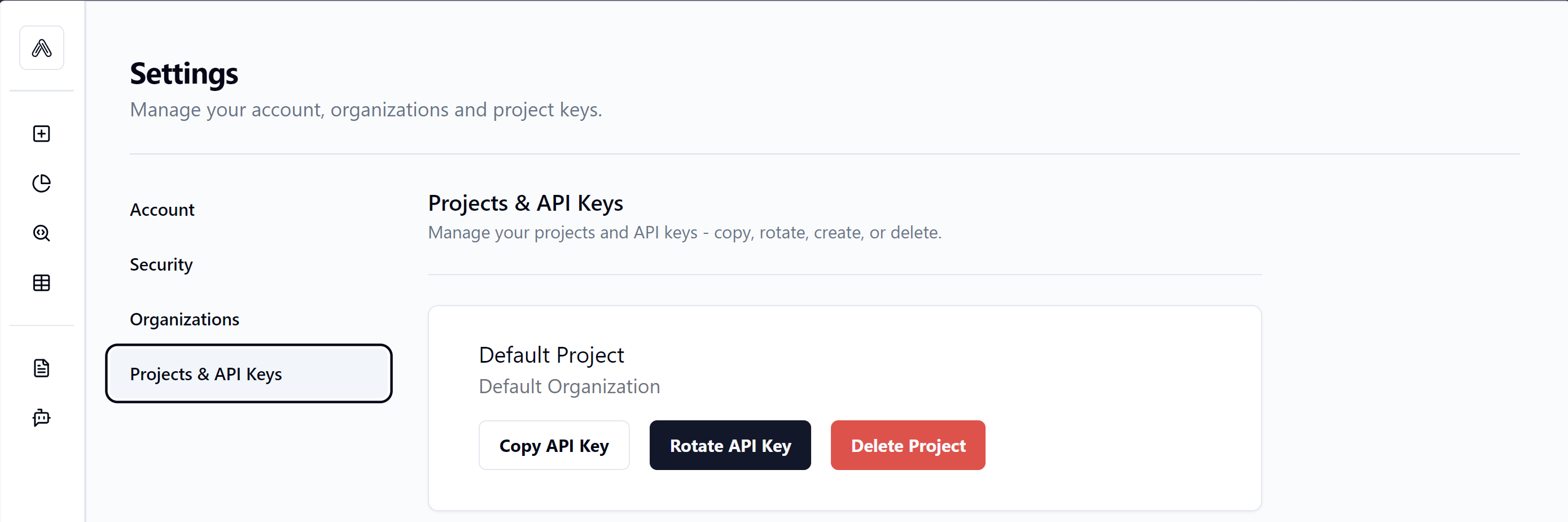 API keys are tied to individual projects.
A Default Project has been created for you, so just click Copy API Key
Set this API Key in your [environment variables](/v1/usage/advanced-configuration)
```python .env theme={null}
AGENTOPS_API_KEY=
```
Execute your program and visit [app.agentops.ai/drilldown](https://app.agentops.ai/drilldown) to observe your Crew! 🕵️
After your run, AgentOps prints a clickable url to console linking directly to your session in the Dashboard
 ## Special Considerations with Crew
The Crew framework is capable of determining when all tasks have been accomplished and to halt execution. AgentOps will automatically end your active session
when this determination is made. If you don't want your AgentOps session to end at this time, add an optional parameter to your `agentops.init()` call.
```python theme={null}
agentops.init(skip_auto_end_session=True)
```
## Crew + AgentOps Examples
## Special Considerations with Crew
The Crew framework is capable of determining when all tasks have been accomplished and to halt execution. AgentOps will automatically end your active session
when this determination is made. If you don't want your AgentOps session to end at this time, add an optional parameter to your `agentops.init()` call.
```python theme={null}
agentops.init(skip_auto_end_session=True)
```
## Crew + AgentOps Examples