> ## Documentation Index
> Fetch the complete documentation index at: https://docs.agentops.ai/llms.txt
> Use this file to discover all available pages before exploring further.
# LiteLLM
> Call the latest models using the OpenAI format including: Llama, Mistral, Claude, Gemini, Gemma, DALL-E, Whisper
[LiteLLM](https://www.litellm.ai) allows tracking 100+ LLMs with AgentOps. Checkout the [providers](https://docs.litellm.ai/docs/providers) supported by LiteLLM.
Visit the [LiteLLM docs](https://docs.litellm.ai/docs/) for more information.
## Using AgentOps with LiteLLM
```bash pip theme={null}
pip install agentops
```
```bash poetry theme={null}
poetry add agentops
```
AgentOps supports `litellm>=1.3.1`
```bash pip theme={null}
pip install litellm
```
```bash poetry theme={null}
poetry add litellm
```
AgentOps requires a minor adjustment to how you call LiteLLM. This is because of other existing integrations that use the `completion` function.
```python python theme={null}
import agentops
import litellm
agentops.init()
# Some code here...
response = litellm.completion(model="gpt-4o", messages=messages)
# Some code here...
agentops.end_session('Success')
```
Set your API key as an `.env` variable for easy access.
```python .env theme={null}
AGENTOPS_API_KEY=
```
Read more about environment variables in [Advanced Configuration](/v1/usage/advanced-configuration)
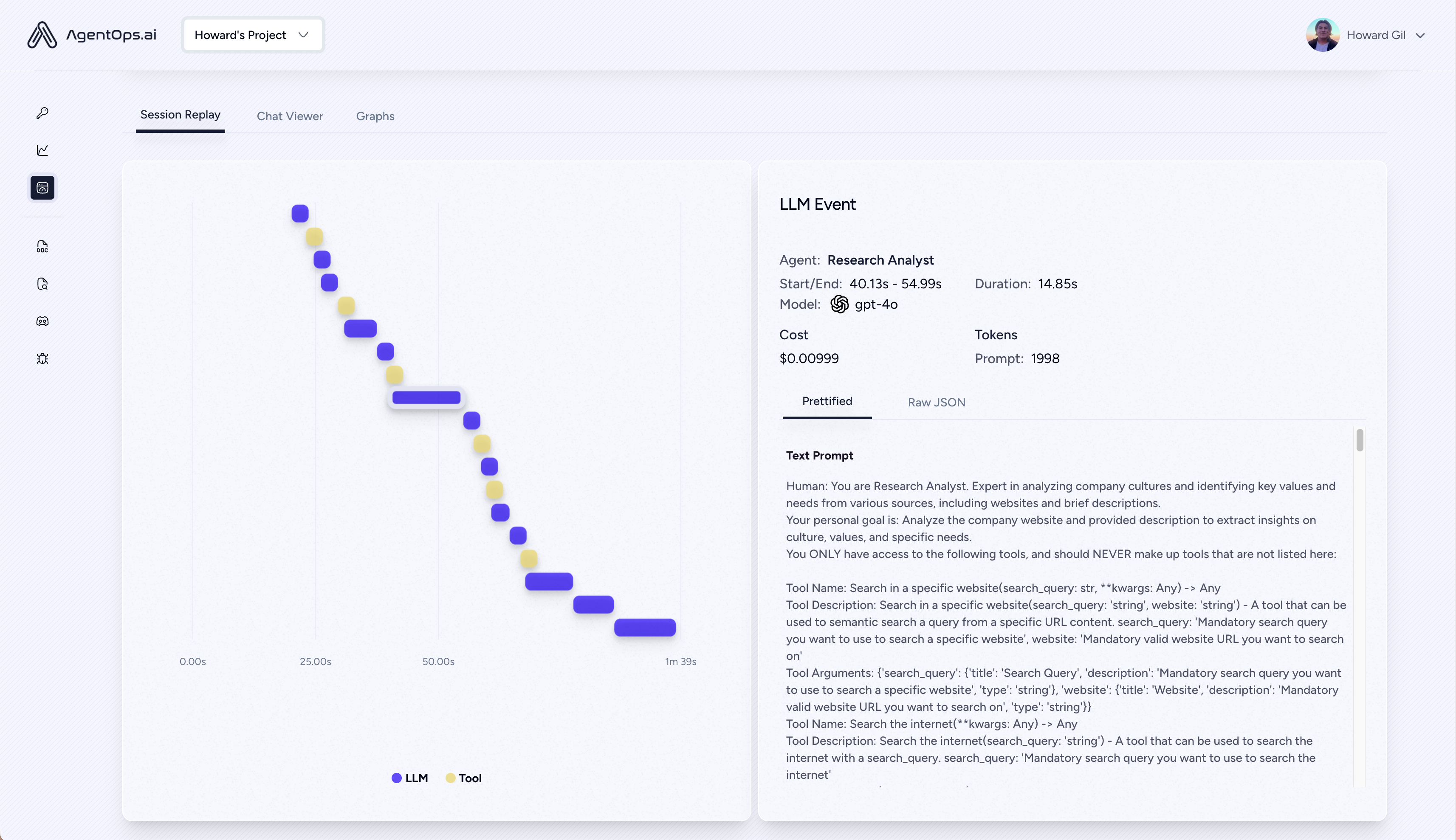
Execute your program and visit [app.agentops.ai/drilldown](https://app.agentops.ai/drilldown) to observe your Agent! 🕵️
After your run, AgentOps prints a clickable url to console linking directly to your session in the Dashboard
 ## Full Examples
An example notebook is available [here](https://github.com/AgentOps-AI/agentops/blob/main/examples/litellm_examples/litellm_example.ipynb).
## Full Examples
An example notebook is available [here](https://github.com/AgentOps-AI/agentops/blob/main/examples/litellm_examples/litellm_example.ipynb).