> ## Documentation Index
> Fetch the complete documentation index at: https://docs.agentops.ai/llms.txt
> Use this file to discover all available pages before exploring further.
# smolagents
> Track HuggingFace's smolagents with AgentOps seamlessly
[smolagents](https://github.com/huggingface/smolagents) is a framework for building and running AI agents from [HuggingFace](https://huggingface.co/).
Checkout their [docs](https://huggingface.co/docs/smolagents/index) to get started with creating your own agents.
## Integrating AgentOps with smolagents
```bash pip theme={null}
pip install agentops
```
```bash poetry theme={null}
poetry add agentops
```
```bash pip theme={null}
pip install smolagents
```
```bash poetry theme={null}
poetry add smolagents
```
AgentOps tracks calls from smolagents via LiteLLM currently.
```python python theme={null}
import agentops
from smolagents import LiteLLMModel
agentops.init()
model = LiteLLMModel()
# Your code here...
agentops.end_session('Success')
```
Set your API key as an `.env` variable for easy access.
```python .env theme={null}
AGENTOPS_API_KEY=
```
Read more about environment variables in [Advanced Configuration](/v1/usage/advanced-configuration)
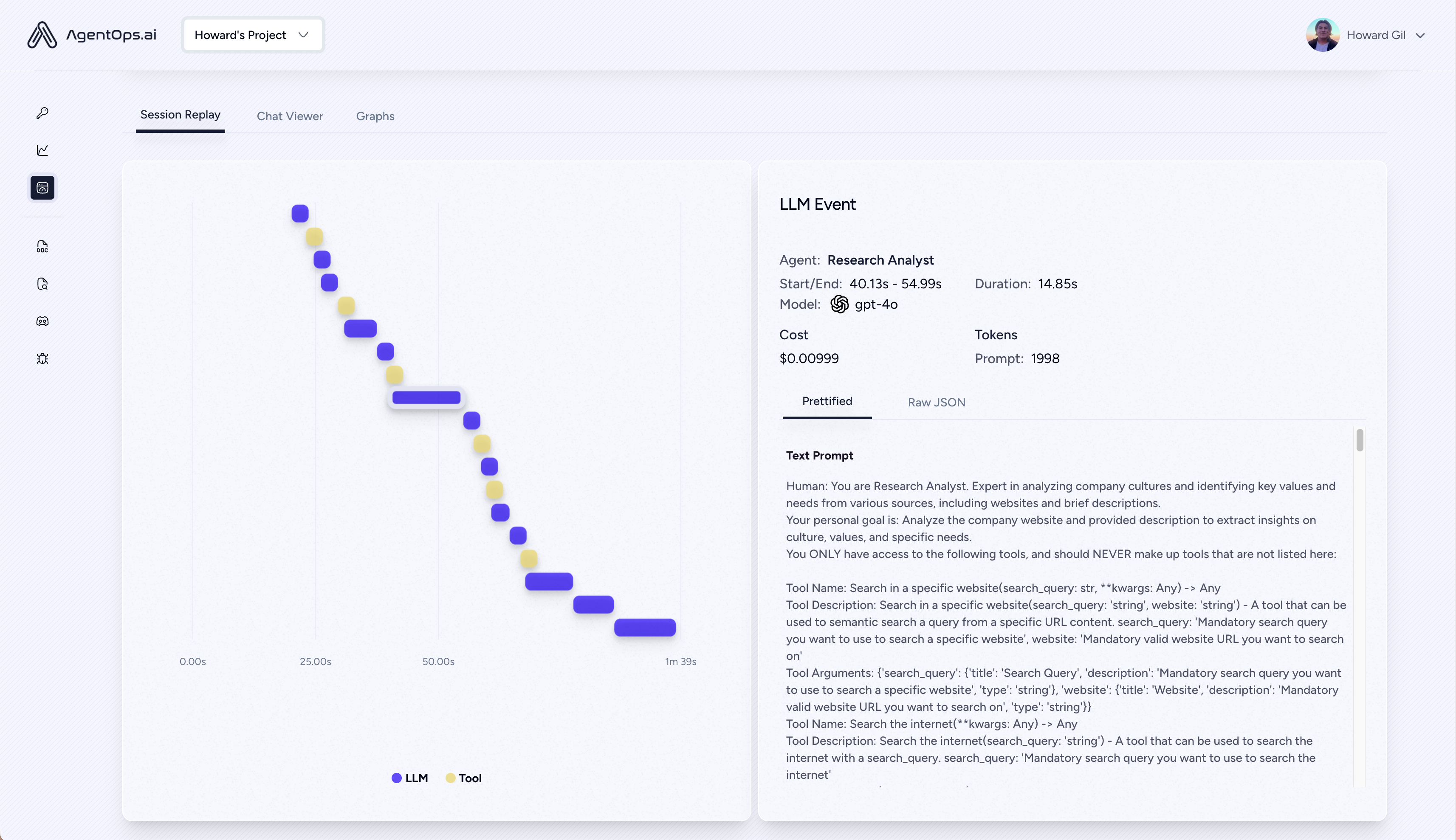
Execute your program and visit [app.agentops.ai/drilldown](https://app.agentops.ai/drilldown) to observe your Agent! 🕵️
After your run, AgentOps prints a clickable url to console linking directly to your session in the Dashboard
 ## Full Examples
You can refer to the following examples -
* [Text to SQL](https://github.com/AgentOps-AI/agentops/blob/main/examples/smolagents_examples/text_to_sql.ipynb)
* [Multi-Agent System](https://github.com/AgentOps-AI/agentops/blob/main/examples/smolagents_examples/multi_smolagents_system.ipynb)
## Full Examples
You can refer to the following examples -
* [Text to SQL](https://github.com/AgentOps-AI/agentops/blob/main/examples/smolagents_examples/text_to_sql.ipynb)
* [Multi-Agent System](https://github.com/AgentOps-AI/agentops/blob/main/examples/smolagents_examples/multi_smolagents_system.ipynb)