> ## Documentation Index
> Fetch the complete documentation index at: https://docs.agentops.ai/llms.txt
> Use this file to discover all available pages before exploring further.
# Tracking Agents
> Use the `@agent` decorator to create agent spans
All operations are automatically associated with the agent that originated them. Agents are given a name which is what you will see in the dashboard.
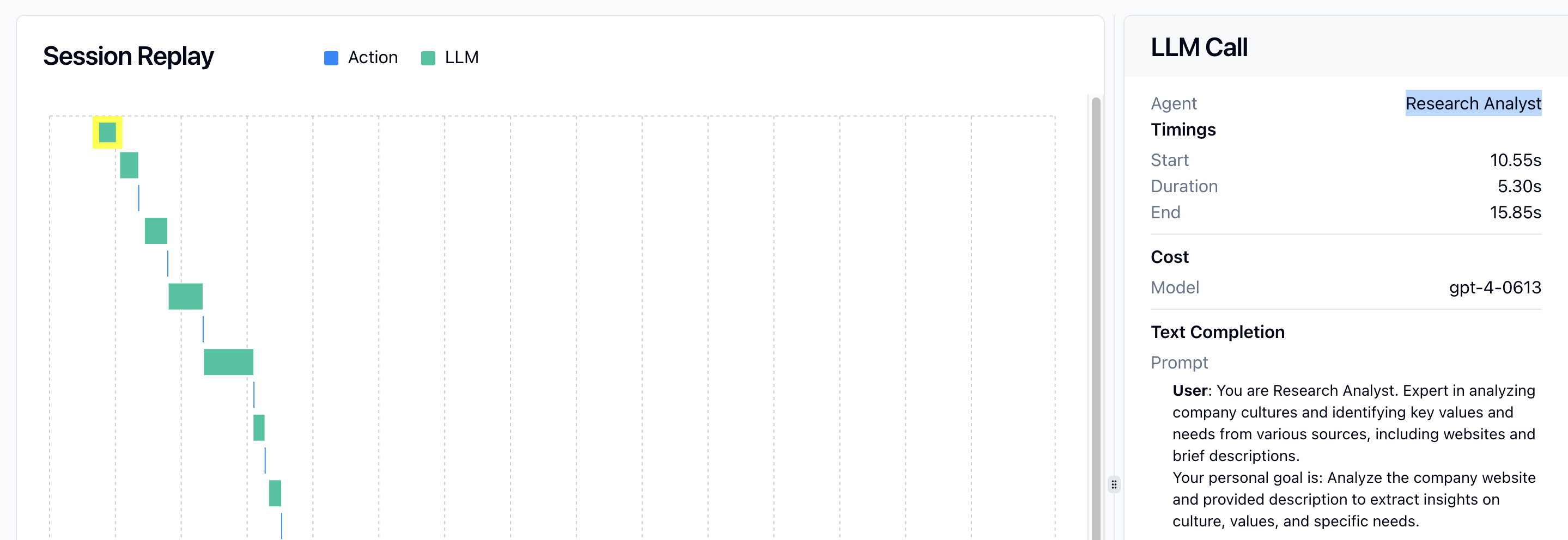 The example below creates an agent class with a custom name:
```python theme={null}
from agentops.sdk.decorators import agent
@agent(name='ResearchAgent')
class MyAgent:
def __init__(self):
# Agent initialization
pass
# Agent methods
```
If you don't specify a name, the agent will use the class name by default:
```python theme={null}
@agent
class ResearchAgent:
# This agent will have the name "ResearchAgent"
pass
```
## Nesting Operations Under Agents
Operations performed by an agent should be decorated with the `@operation` decorator to ensure they're properly nested under the agent:
```python theme={null}
from agentops.sdk.decorators import agent, operation
@agent
class ResearchAgent:
@operation
def search_web(self, query):
# Search implementation
return results
@operation
def analyze_data(self, data):
# Analysis implementation
return analysis
```
## Session Context
Agents should be created within a session context to ensure proper tracing:
```python theme={null}
from agentops.sdk.decorators import session, agent, operation
@agent
class ResearchAgent:
@operation
def perform_research(self, topic):
# Research implementation
return results
@session
def research_workflow(topic):
agent = ResearchAgent()
return agent.perform_research(topic)
# Run the session
result = research_workflow("quantum computing")
```
The example below creates an agent class with a custom name:
```python theme={null}
from agentops.sdk.decorators import agent
@agent(name='ResearchAgent')
class MyAgent:
def __init__(self):
# Agent initialization
pass
# Agent methods
```
If you don't specify a name, the agent will use the class name by default:
```python theme={null}
@agent
class ResearchAgent:
# This agent will have the name "ResearchAgent"
pass
```
## Nesting Operations Under Agents
Operations performed by an agent should be decorated with the `@operation` decorator to ensure they're properly nested under the agent:
```python theme={null}
from agentops.sdk.decorators import agent, operation
@agent
class ResearchAgent:
@operation
def search_web(self, query):
# Search implementation
return results
@operation
def analyze_data(self, data):
# Analysis implementation
return analysis
```
## Session Context
Agents should be created within a session context to ensure proper tracing:
```python theme={null}
from agentops.sdk.decorators import session, agent, operation
@agent
class ResearchAgent:
@operation
def perform_research(self, topic):
# Research implementation
return results
@session
def research_workflow(topic):
agent = ResearchAgent()
return agent.perform_research(topic)
# Run the session
result = research_workflow("quantum computing")
```