> ## Documentation Index
> Fetch the complete documentation index at: https://docs.agentops.ai/llms.txt
> Use this file to discover all available pages before exploring further.
# Introduction
> AgentOps is the developer favorite platform for testing, debugging, and deploying AI agents and LLM apps.
Prefer asking your IDE? Install the Mintlify MCP Docs Server for AgentOps to chat with the docs while you code:
`npx mint-mcp add agentops`
The AgentOps app is open source. Browse the code or contribute in our GitHub app directory.
## Integrate with developer favorite LLM providers and agent frameworks
### Agent Frameworks
} iconType="image" href="/v2/integrations/ag2" />
} iconType="image" href="/v2/integrations/agno" />
} iconType="image" href="/v2/integrations/autogen" />
} iconType="image" href="/v2/integrations/crewai" />
} iconType="image" href="/v2/integrations/google_adk" />
} iconType="image" href="/v2/integrations/haystack" />
} iconType="image" href="/v2/integrations/langchain" />
} iconType="image" href="/v2/integrations/openai_agents_python" />
} iconType="image" href="/v2/integrations/openai_agents_js" />
} iconType="image" href="/v2/integrations/smolagents" />
### LLM Providers
} iconType="image" href="/v2/integrations/anthropic" />
} iconType="image" href="/v2/integrations/google_generative_ai" />
} iconType="image" href="/v2/integrations/openai" />
} iconType="image" href="/v2/integrations/litellm" />
} iconType="image" href="/v2/integrations/ibm_watsonx_ai" />
} iconType="image" href="/v2/integrations/xai" />
} iconType="image" href="/v2/integrations/mem0" />
} iconType="image" href="/v2/integrations/memori" />
Observability and monitoring for your AI agents and LLM apps. And we do it all in just two lines of code...
```python python theme={null}
import agentops
agentops.init()
```
... that logs everything back to your AgentOps Dashboard.
AgentOps is also available for TypeScript/JavaScript applications. Check out our [TypeScript SDK guide](/v2/usage/typescript-sdk) for Node.js projects.
That's it! AgentOps will automatically instrument your code and start tracking traces.
Need more control? You can create custom traces using the `@trace` decorator (recommended) or manage traces manually for advanced use cases:
```python python theme={null}
import agentops
from agentops.sdk.decorators import trace
agentops.init(, auto_start_session=False)
@trace(name="my-workflow", tags=["production"])
def my_workflow():
# Your code here
return "Workflow completed"
```
You can also set a custom trace name during initialization:
```python python theme={null}
import agentops
agentops.init(, trace_name="custom-trace-name")
```
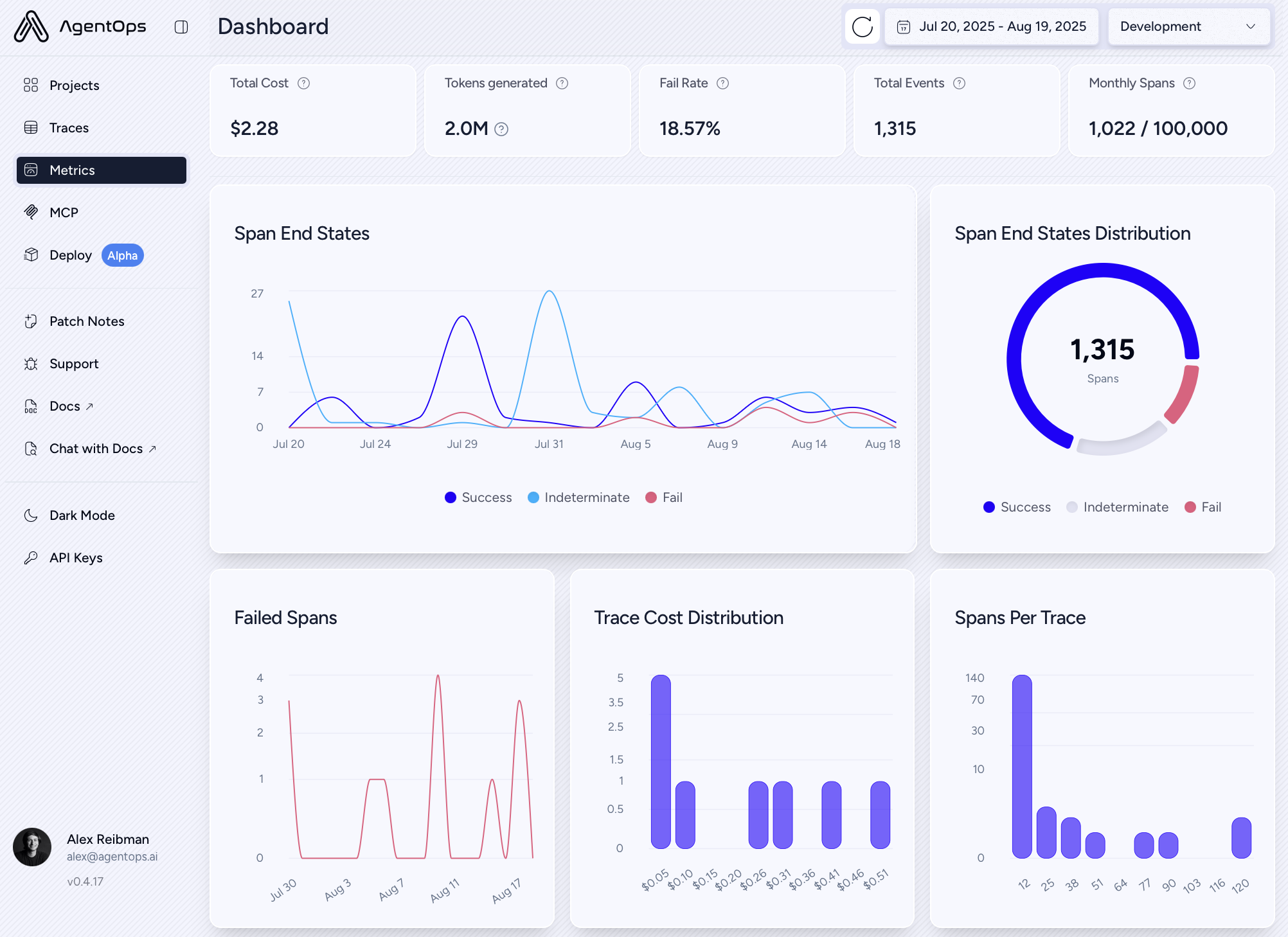
## The AgentOps Dashboard
[Give us a star](https://github.com/AgentOps-AI/agentops) to bookmark on GitHub, save for later 🖇️)
With just two lines of code, you can free yourself from the chains of the terminal and, instead, visualize your agents' behavior
in your AgentOps Dashboard. After setting up AgentOps, each execution of your program is recorded as a session and the above
data is automatically recorded for you.
The examples below were captured with two lines of code.
### Session Drilldown
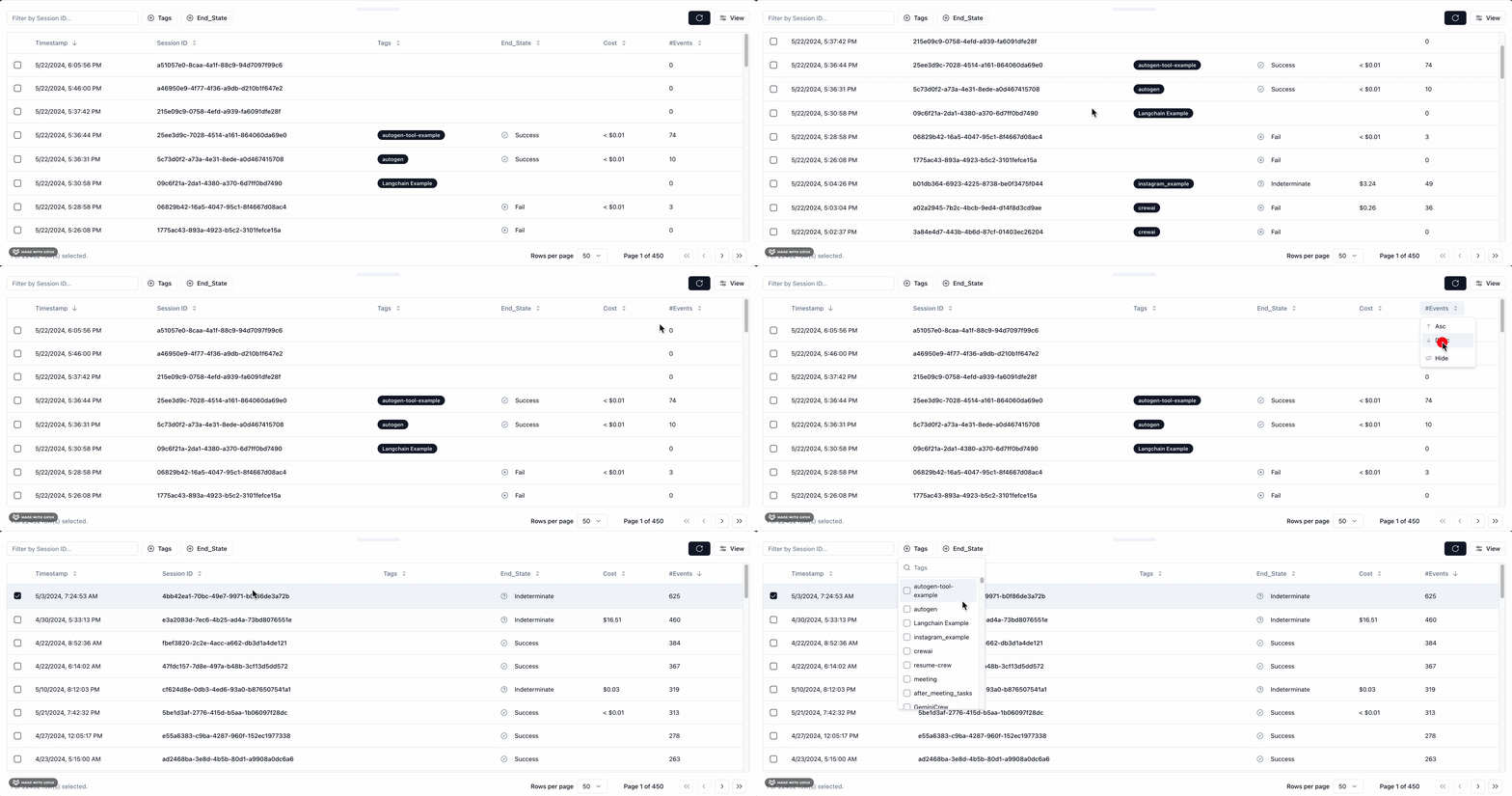
Here you will find a list of all of your previously recorded sessions and useful data about each such as total execution time.
You also get helpful debugging info such as any SDK versions you were on if you're building on a supported agent framework like Crew or AutoGen.
LLM calls are presented as a familiar chat history view, and charts give you a breakdown of the types of events that were called and how long they took.
Find any past sessions from your Session Drawer.
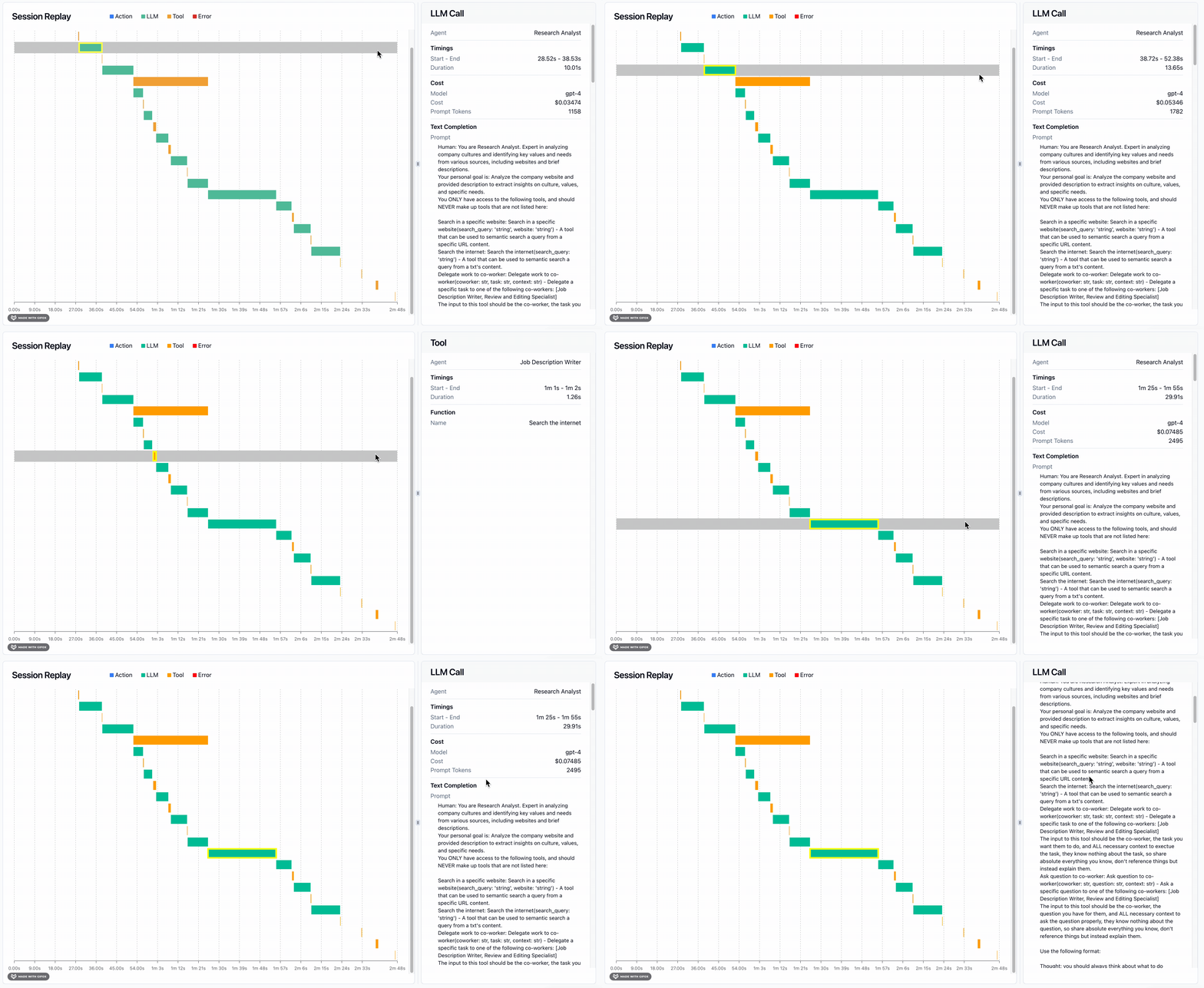
Most powerful of all is the Session Waterfall. On the left, a time visualization of all your LLM calls, Action events, Tool calls, and Errors.
On the right, specific details about the event you've selected on the waterfall. For instance the exact prompt and completion for a given LLM call.
Most of which has been automatically recorded for you.
### Session Overview
View a meta-analysis of all of your sessions in a single view.
 Find any past sessions from your Session Drawer.
 Most powerful of all is the Session Waterfall. On the left, a time visualization of all your LLM calls, Action events, Tool calls, and Errors.
On the right, specific details about the event you've selected on the waterfall. For instance the exact prompt and completion for a given LLM call.
Most of which has been automatically recorded for you.
Most powerful of all is the Session Waterfall. On the left, a time visualization of all your LLM calls, Action events, Tool calls, and Errors.
On the right, specific details about the event you've selected on the waterfall. For instance the exact prompt and completion for a given LLM call.
Most of which has been automatically recorded for you.
 ### Session Overview
View a meta-analysis of all of your sessions in a single view.
### Session Overview
View a meta-analysis of all of your sessions in a single view.