> ## Documentation Index
> Fetch the complete documentation index at: https://docs.agentops.ai/llms.txt
> Use this file to discover all available pages before exploring further.
# Dashboard
> Visualize your AgentOps analysis.
## Insights Dashboard
You need better insights to turn error-prone AI into stable workflows. Here's your new best friend.
### Session Drilldown
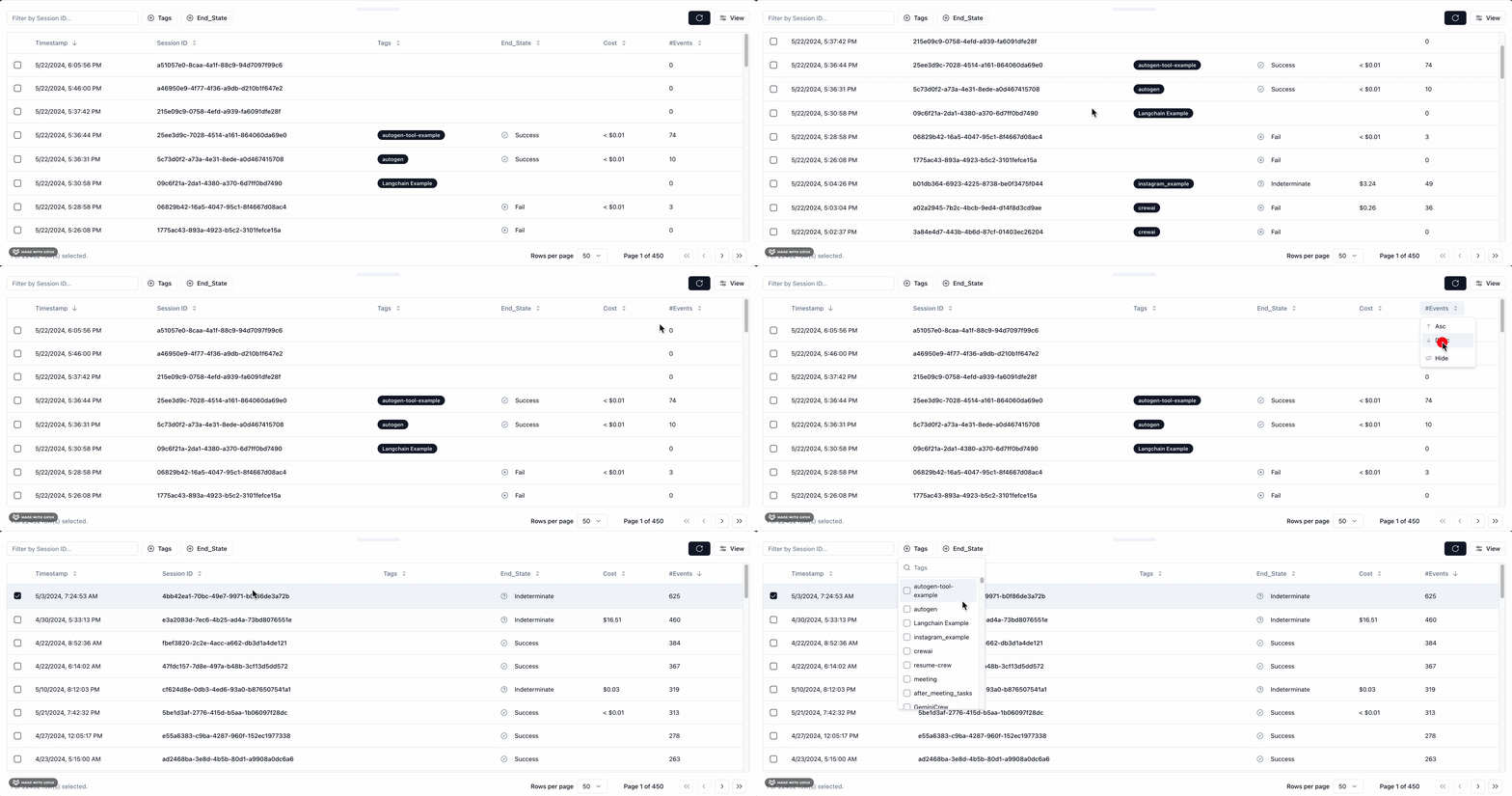
Here you will find a list of all of your previously recorded sessions and useful data about each such as total execution time.
You also get helpful debugging info such as any SDK versions you were on if you're building on a supported agent framework like Crew or AutoGen.
LLM calls are presented as a familiar chat history view, and charts give you a breakdown of the types of events that were called and how long they took.
 Find any past sessions from your Session Drawer.
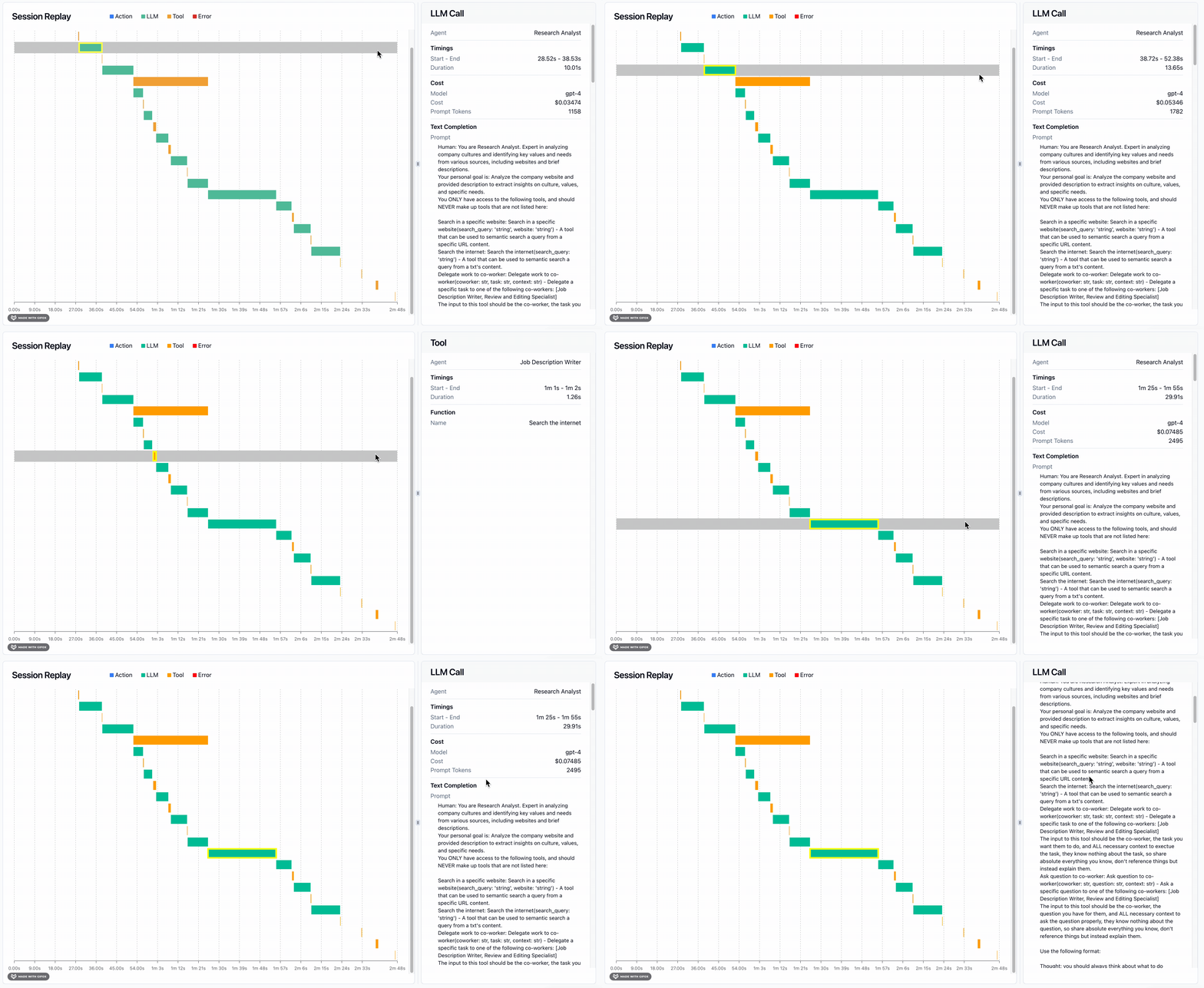
 Most powerful of all is the Session Waterfall. On the left, a time visualization of all your LLM calls, Action events, Tool calls, and Errors.
On the right, specific details about the event you've selected on the waterfall. For instance the exact prompt and completion for a given LLM call.
Most of which has been automatically recorded for you.
Most powerful of all is the Session Waterfall. On the left, a time visualization of all your LLM calls, Action events, Tool calls, and Errors.
On the right, specific details about the event you've selected on the waterfall. For instance the exact prompt and completion for a given LLM call.
Most of which has been automatically recorded for you.
 ### Session Overview
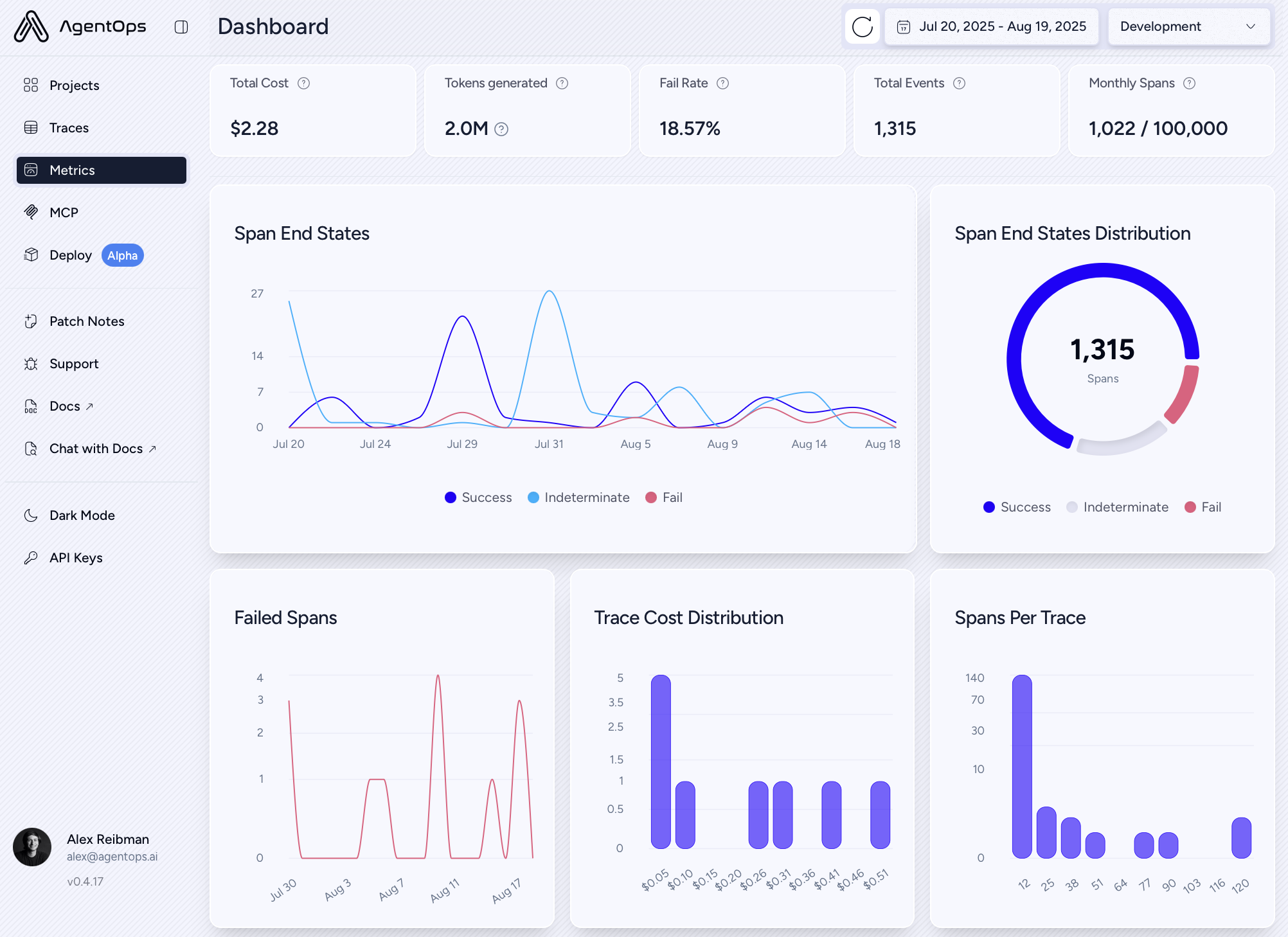
View a meta-analysis of all of your sessions in a single view.
### Session Overview
View a meta-analysis of all of your sessions in a single view.